


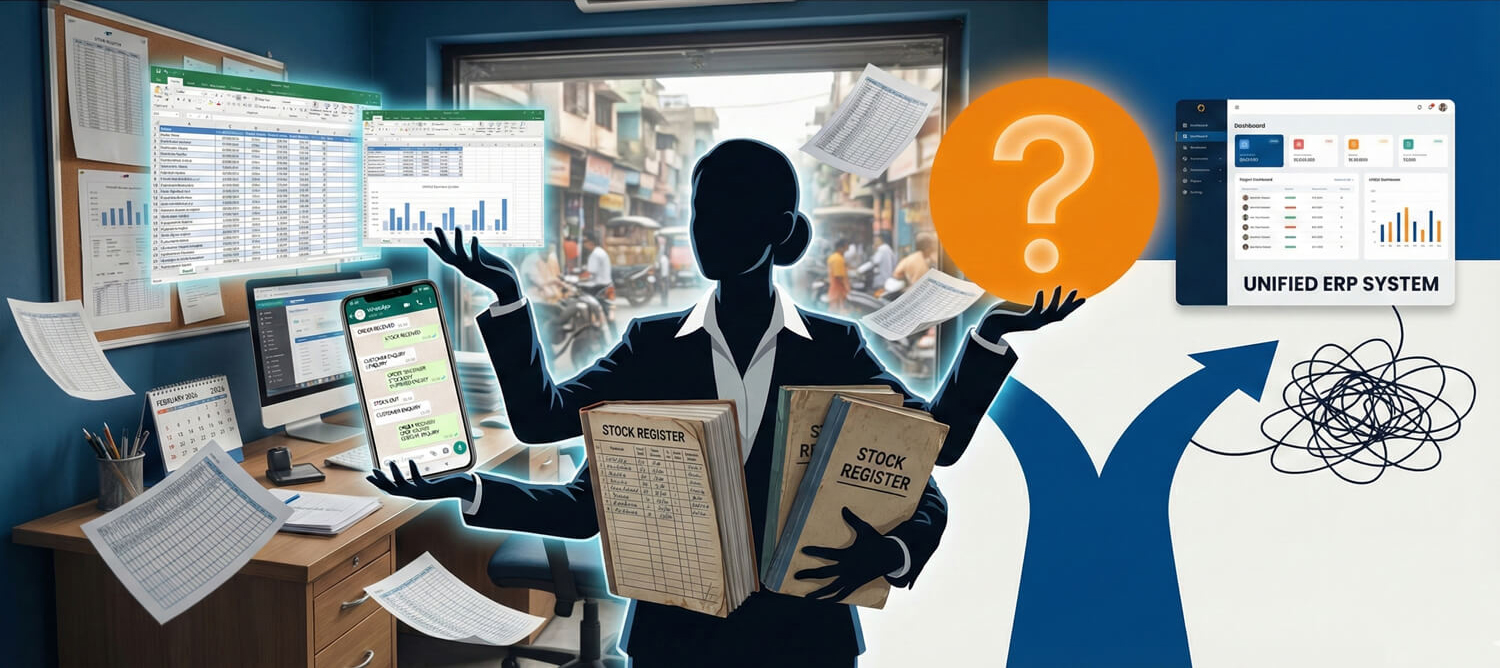
When your business was small, Excel worked.
As operations expanded, you began double-checking numbers. Now dispatch says stock is available, accounts shows something else, and production insists both are wrong.
This is the silent tipping point in the ERP vs Excel journey. Excel doesn’t suddenly collapse. Complexity increases gradually until coordination not sales becomes your biggest operational problem.
This guide will help you understand:
- Where Excel starts breaking
- Clear signs you’ve outgrown it
- How to assess readiness without pressure
How Excel Works – Until It Doesn’t
Excel is flexible and familiar. That’s why nearly every growing business begins there.
Where Excel Works Well
- Single location operations
- Low transaction volume
- Limited SKU range
- Direct founder supervision
Where It Begins to Fail
-
Multiple files track the same data
-
Version confusion (“Final_v4_latest_corrected.xlsx”)
-
Manual reconciliation becomes routine
-
Inventory is verified physically because system trust is low
These are classic Excel inventory problems – not because Excel is weak, but because coordination becomes complex.
How Excel-Based Tracking Creates Invisible Inventory Errors
The biggest myth: “Excel is fine if people are careful.”
The real issue: Excel doesn’t fail manual coordination does.
Why Excel breaks at scale:
-
Multiple files for purchase, production, and dispatch
-
No real-time stock deduction or validation
-
No linkage between material issue and consumption
-
Backdated entries distort actual availability
Mini case:
A packaging manufacturer tracked RM, WIP, and FG in three separate sheets. Individually, all seemed accurate. Combined variance at audit: 18%.
Key takeaway: Excel shows numbers. It doesn’t enforce discipline.
How ERP Enforces Structure Instead of Trusting Discipline
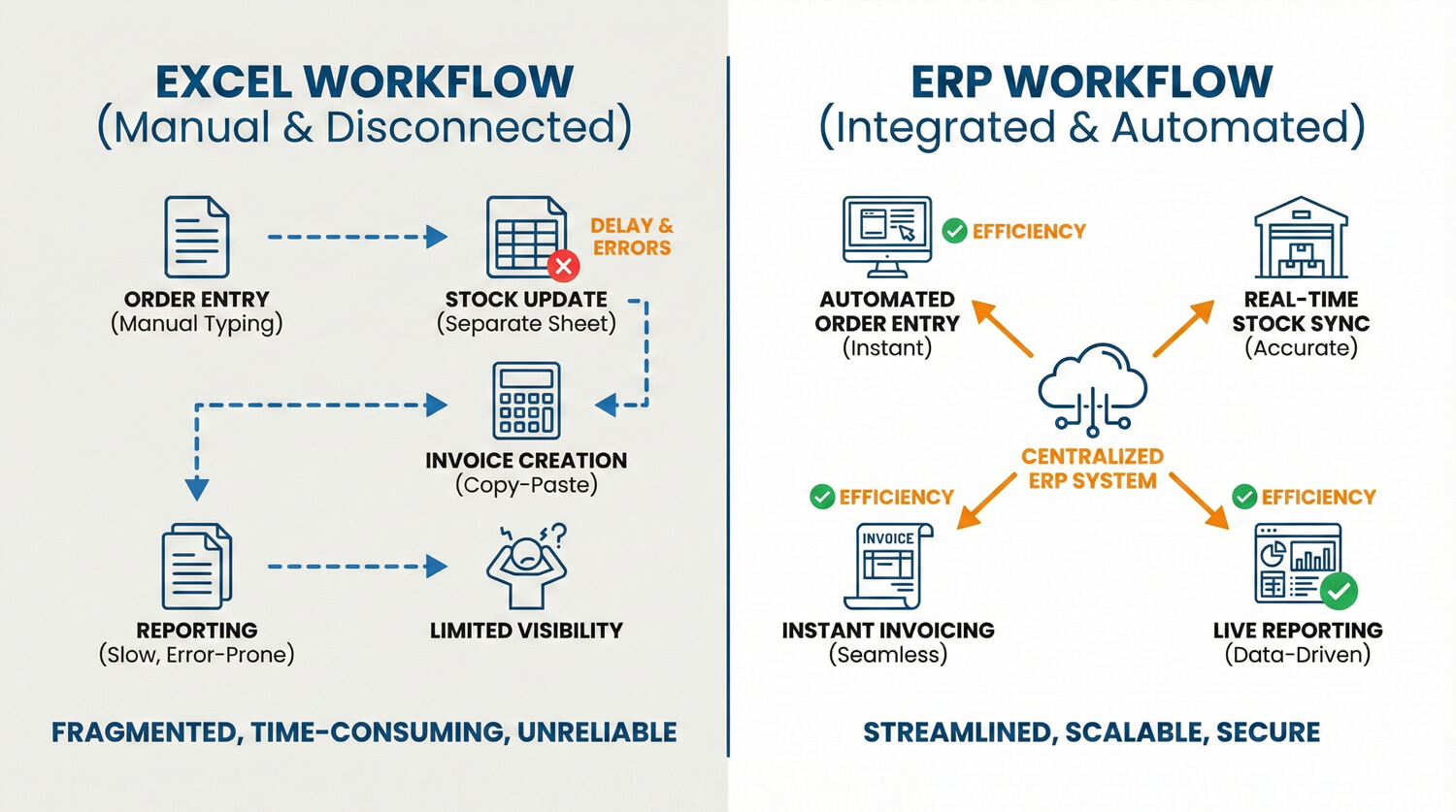
The true difference in ERP vs Excel isn’t features.
It’s process enforcement.
| Function | Excel | ERP |
|---|---|---|
| Stock deduction | Manual | Automatic |
| GST linkage | Separate sheets | Integrated |
| Multi-location | Complex formulas | Built-in |
| Audit trail | Weak | Structured |
| User access | Shared file | Role-based |
Excel assumes people will update data correctly.
ERP makes incorrect process flow difficult.
7 Clear Signs You’ve Outgrown Excel
If three or more apply consistently, it’s time to evaluate ERP.
-
Stock reconciliation happens weekly
-
Sales and dispatch disagree on availability
-
GST numbers require manual adjustment
-
Approvals happen over WhatsApp
-
One “Excel expert” employee controls all reports
-
Reporting takes days
-
Audit preparation causes panic
These are operational maturity signals not size signals.
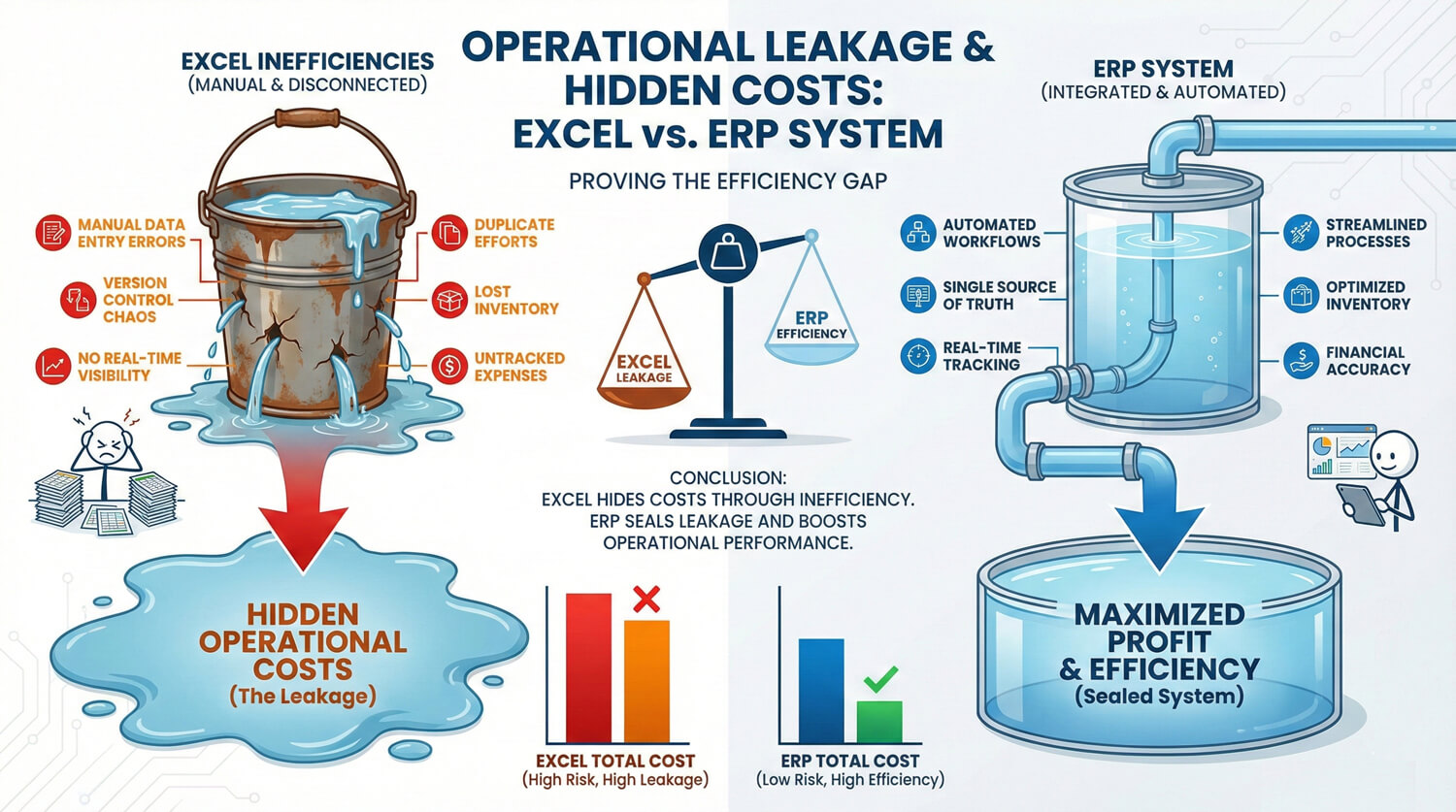
The Hidden Costs of Staying on Excel
Most founders compare ERP subscription cost.
Few measure Excel inefficiency cost.
Common Hidden Loss Areas
- Stock variance
- Duplicate purchasing
- Missed dispatches
- Delayed invoicing
- Compliance penalties
Even a small percentage of operational leakage compounds significantly over time.
The real ERP vs Excel decision isn’t about software expense.
It’s about coordination cost.
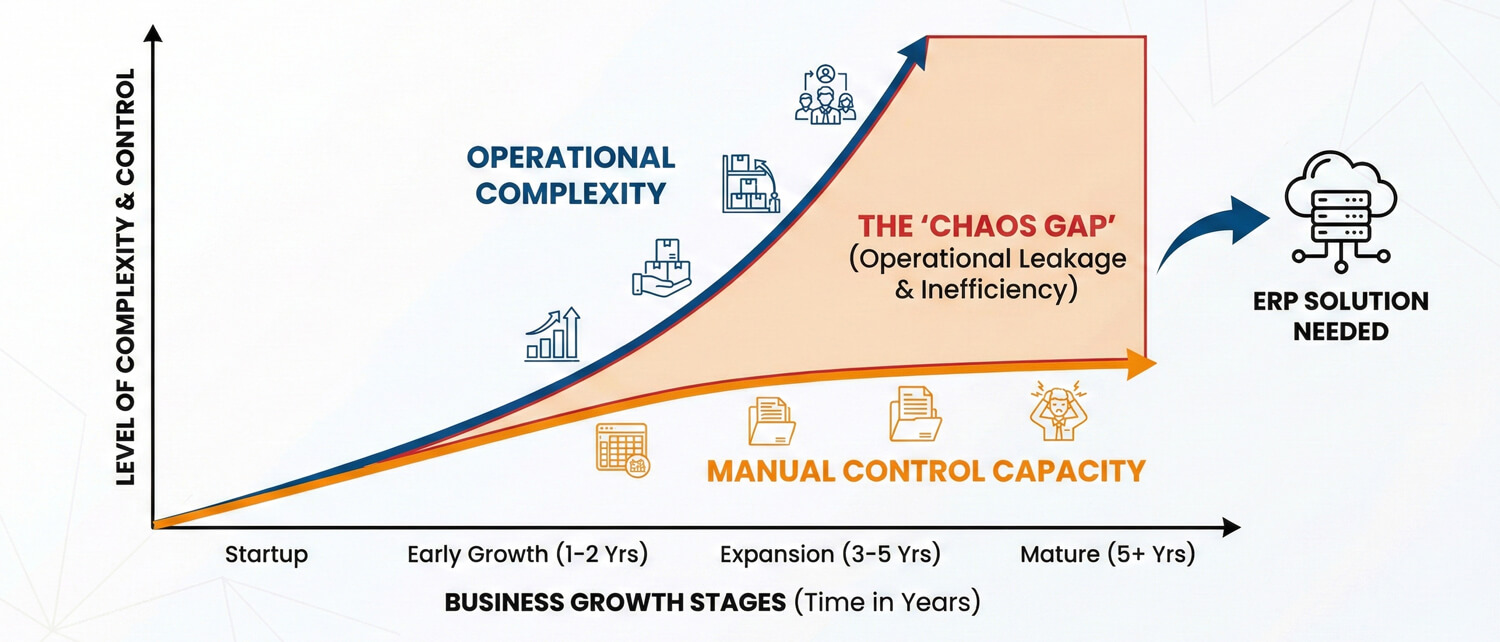
Growth Increases Complexity – Not Just Revenue
Businesses don’t outgrow Excel because of size alone. They outgrow it because:
- SKU count increases
- Vendors multiply
- Locations expand
- Approval layers grow
- Compliance becomes stricter
Excel handles transactions.
ERP handles systems.
Case Snapshot: Distributor Scaling Operations
A distribution company managed operations on Excel for years. As orders increased and multiple warehouses were added, stock disputes became routine. Reporting required late-night reconciliation.
After structured ERP implementation:
-
Inventory variance dropped below 1%
-
Report generation time reduced dramatically
-
Approval processes moved inside the system
-
Audit preparation became structured instead of reactive
Growth didn’t break Excel. Operational complexity did.
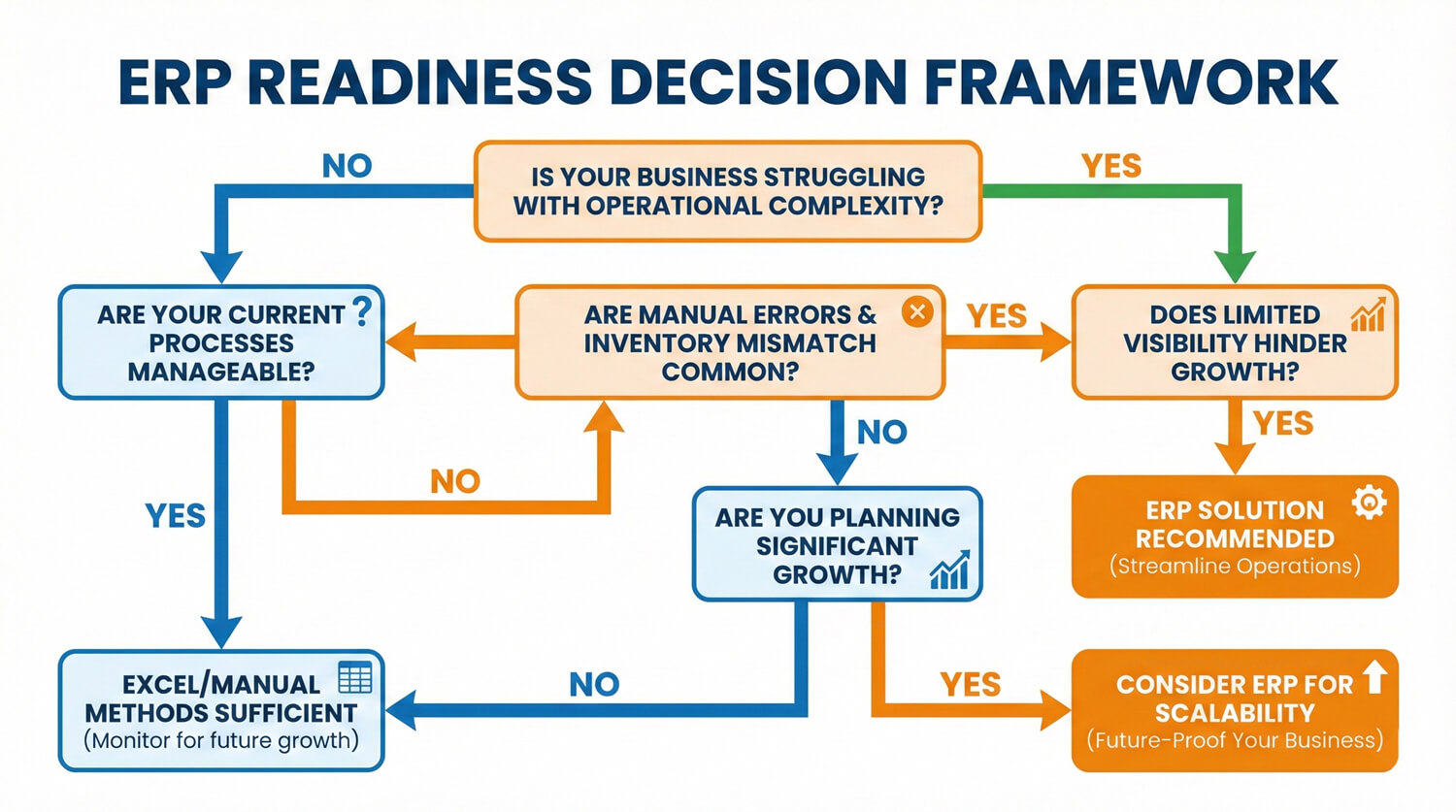
Decision Framework: Should You Upgrade Now?
Answer these honestly:
-
Is data reliability decreasing as operations expand?
-
Are delays caused by information gaps, not production capacity?
-
Would process enforcement reduce dependence on individuals?
If yes to all three, ERP is not a luxury. It’s structure.
Quick Wins Before Moving to ERP
If you’re not ready yet, strengthen Excel discipline:
-
Centralize master data into one controlled file
-
Lock sheets with access control
-
Enforce daily update cutoffs
-
Separate data entry from approval authority
If operational friction persists despite these controls, Excel limitations MSME environments face become structural not behavioral.
Q: What is the main difference in ERP vs Excel?
Excel records data manually across separate sheets. ERP integrates operations into a structured system where transactions automatically update related modules, improving accuracy and scalability.
Is Excel enough for a small business?
Yes, during early operational stages. Once transactions increase, multiple users interact, or compliance complexity grows, Excel limitations become visible.
What are common Excel inventory problems?
Version conflicts, delayed updates, manual reconciliation, and weak audit trails. These create stock mismatches and reporting delays.
When should a business switch to ERP?
When coordination consumes more effort than growth, when reconciliation becomes routine, and when operational errors increase despite supervision.
Is ERP only for large companies?
No. ERP for small business India is increasingly common once operations require structured workflows across departments.